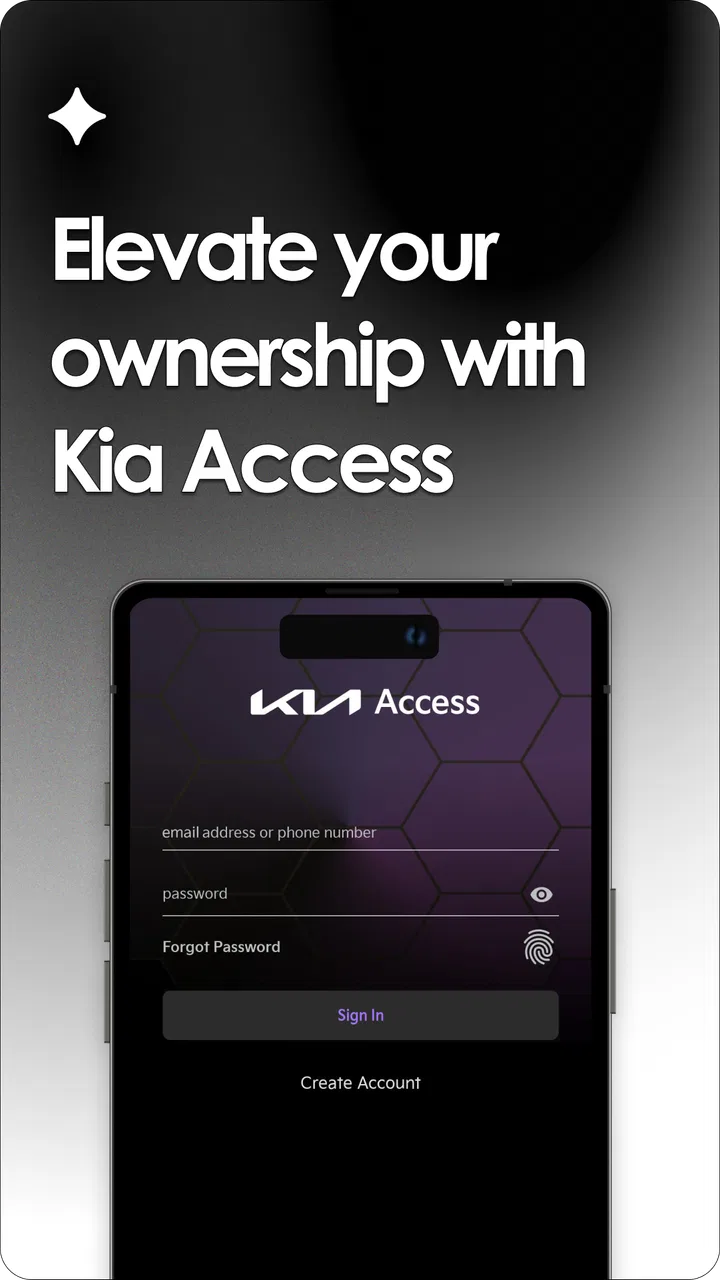
Kia Access
- 4.7
- Rating
- 1.00M
- Installs
- Free
- Price

 Analysis by App-foxy
I installed Kia Access expecting a straightforward way to keep my Kia information in one place, and that is the right way to understand it: this is a productivity app for Kia owners, not a general driving assistant or a replacement for every service channel. Its purpose is to reduce the small bits of friction that appear around owning a vehicle, especially when I need information quickly and do not want to search through paperwork, a browser, or several unrelated apps.
That focus makes the app more useful than its short store description suggests. The starting condition is familiar: I am away from home, someone asks about the vehicle, I need to check an ownership detail, or I want to move from a question about the car to the next practical action. Instead of treating those moments as separate tasks, Kia Access gives me a Kia-specific place to begin. It is free, aimed at Everyone, and comes from Kia America, so the experience feels designed around the relationship between an owner and the manufacturer rather than around generic automotive data.
The app has been available since July 26, 2018, and its audience is now substantial. It has more than a million installs, with an average rating of 4.7 from roughly ninety-two thousand ratings and about twelve thousand written reviews. Those figures do not make it perfect, but they do suggest that many owners find value in keeping this kind of information close at hand. My own view is more practical: it works best when I use it as a starting point for an ownership task, not when I expect it to solve every vehicle-related problem automatically.
You May Also Like

 Blood Strike: 2.5 Anniversary
Blood Strike’s Loadouts Turn Every Drop Into a Tactical Gamble
A close look at Blood Strike’s custom loadouts: how fast access to signature weapons reshapes its battle royale rhythm, rewards preparation, and narrows the gap between fights.

 Pandora - Music & Podcasts
Pandora’s Music Is Easy to Start, but Harder to Recover
Pandora’s strength is its low-effort path from a seed to a station. Its weak spot is how much confidence it asks you to place in connection, setup, and quiet recovery.

 8 Ball Pool
 Is Built on Rivalries, Rematches, and Routine
A close look at the rivalries, rematches, shared routines, and unanswered safety questions that turn a quick pool match into a persistent mobile community.

 Samsung Music
’s Quiet Strength Is Playing What You Already Own
Its reach comes less from spectacle than from dependable access to a personal library. That simplicity is both the app’s strongest retention engine and its ceiling.

 AccuWeather: Weather Radar
AccuWeather Review: A Quick, Clear Forecast for Everyday Decisions
For everyday plans, the best forecast is the one you can understand quickly. AccuWeather makes rain timing, radar, and local conditions easy to act on, with a few trade-offs.

 Hill Climb Racing
Why Hill Climb Racing Still Turns Crashes Into One More Run
A tiny car, a bumpy hill and one more upgrade: Hill Climb Racing keeps resurfacing because its simple chaos makes every near-miss feel personal.
More From Our News Desk



From a Kia question to a useful next step
I use this section to connect a familiar Kia-owner question with the practical choice that follows: what to check first, what to keep organized elsewhere, and when to involve another person. That distinction matters in a shared household, where one person’s quick answer can become another driver’s point of reference. The next section looks at how to make that handoff clear without treating the app as a substitute for direct communication.
Beginning with the ownership situation
The first useful habit is to open Kia Access before I start looking elsewhere. If I begin with a web search, I may find general Kia pages, dealership information, manuals, or unrelated results. That can be helpful, but it also forces me to decide which source applies to my vehicle. A manufacturer-focused app narrows that first step. I can approach the problem as an owner rather than as someone trying to identify the correct corner of a large website.
This matters most for people who keep their vehicle information scattered. A manual may be in the glove compartment, service notes may be in email, and dealership details may be saved under a contact name that is hard to remember. Kia Access does not magically organize every part of my life, but it gives the ownership process a more obvious front door. That small change is valuable when I am standing beside the car, preparing for a service visit, or helping another driver understand which Kia they are using.
Setup is also the point where expectations need to stay realistic. Any vehicle-focused app is only as useful as the account and vehicle context I provide. I would take a moment to enter information carefully, check that the correct vehicle is associated with the account, and avoid treating the first screen as proof that every ownership record has already been transferred. The best workflow is deliberate: establish the right vehicle context first, then use the app to handle the task that brought me there.
One non-obvious benefit of this approach is that it changes how I prepare for a handoff. If another family member regularly drives the Kia, I can use the app as my reference point before explaining the vehicle to them. I am less likely to rely on memory for a detail that should come from Kia’s own information. That does not replace reading the manual or learning the controls, but it reduces the chance that a casual explanation becomes the only source of truth.
Moving through the task instead of browsing aimlessly
Once I know what I need, I treat the app as a guided route rather than a collection of screens to explore. For vehicle information, I look for the relevant ownership area first. For a manufacturer-related need, I follow the path that connects information with the next action. This sounds simple, but it prevents a common mistake: opening a vehicle app, scanning every menu, and leaving without completing the original task.
My preferred sequence is to identify the vehicle, locate the information that answers the immediate question, and then decide whether the next step belongs inside the app or elsewhere. For example, if I am preparing for a service conversation, I want the relevant Kia context in front of me before contacting a dealership or speaking with a technician. If I am checking something while traveling, I want to finish with a clear answer rather than a list of pages that I still need to interpret.
This is where the app compares favorably with generic notes or a browser bookmark. A notes app can store information, but I have to create and maintain the structure myself. A browser can reach Kia’s online resources, but I must repeatedly navigate through a broader website. Kia Access sits between those options: it is more focused than a general productivity tool and more convenient than starting from a blank browser tab.
There is a trade-off, though. A focused app is not automatically the fastest option for every question. If I already know the exact document or phone number I need, a saved note or browser shortcut may get me there sooner. Kia Access earns its place when the task involves Kia ownership context, not when I simply need a generic reminder or a piece of information I have already stored elsewhere.
The handoff from information to action
The most important part of the workflow is the handoff. Vehicle information is rarely the final goal. Usually I want to use it to make a decision, prepare for a conversation, arrange service, or help someone else use the car correctly. I found it useful to pause after finding an answer and ask what I need to do with it next.
Suppose I am arranging a service visit. I begin in Kia Access, confirm that I am looking at the right vehicle information, and then move to the dealership or service channel when the task requires a human or a separate process. The app helps me arrive better prepared; it does not turn a service department into an in-app button for every situation. That distinction is important because it keeps my expectations aligned with what a vehicle information app can reasonably do.
A similar handoff happens when I lend the car to a relative. I can check the information I need before the person arrives, explain the relevant details in person, and use the app as a reference if a question comes up later. The app is especially helpful in this scenario because it reduces the temptation to give a vague answer such as “I think that is in the manual.” The weakness is that the other driver may still need their own explanation, so the app supports the handoff rather than replacing it.
I also like this workflow for moving between digital and physical records. If I am about to visit a dealership, I can use Kia Access to refresh my memory, then bring the vehicle and any documents the service team needs. The app becomes the preparation stage. That is a more realistic role than expecting it to contain every record, answer every technical question, or eliminate the need for a conversation with a trained professional.
What the completed result feels like
The outcome is modest but useful: I spend less time wondering where to begin. When the app fits the task, I finish with the vehicle information I needed and a clearer idea of the next action. That can mean contacting the right Kia-related resource, preparing for service, or answering a question without opening several unrelated tools.
For me, the strongest result is reduced mental overhead. I do not have to remember which Kia page I visited last time or reconstruct the path from a search engine. The app gives ownership tasks a consistent home. That consistency is more valuable over several months than during a single test, because the benefit appears whenever a small question interrupts an otherwise busy day.
The experience is also helped by the fact that the app is free. There is no purchase decision standing between me and the basic trial of the workflow. That makes it easy for a Kia owner to install it, connect the relevant ownership context, and decide whether it is more convenient than their current combination of notes, bookmarks, paperwork, and dealership contacts.
Still, I would not call the result transformational. Kia Access improves access to Kia-related information, but it does not remove the ordinary responsibilities of ownership. I still need to read important instructions, keep track of appointments, communicate clearly with service staff, and make decisions based on the actual condition of the vehicle. The app is a useful layer around those responsibilities, not a substitute for them.
Where the workflow can break
The first point of friction is the boundary between manufacturer information and real-world service. An app can help me understand where to look, but a vehicle problem may require diagnosis, a dealership, roadside help, or a qualified technician. If I open Kia Access expecting an immediate answer to a mechanical issue, I may be disappointed. For urgent safety concerns, I would prioritize safe driving decisions and professional assistance over exploring the app.
The second limitation is that focused convenience depends on accurate context. If the wrong vehicle is selected, or if I have not completed the relevant account setup, the information may be less useful than expected. My practical tip is to verify the vehicle details early, not after I have already relied on the app during a stressful situation. A few minutes of preparation can make the later handoff much smoother.
Another break occurs when I need a general tool rather than a Kia tool. I would skip Kia Access for grocery reminders, broad travel planning, fuel budgeting, or information about a different manufacturer. A notes app, calendar, maps app, or the other automaker’s official application is a better fit in those cases. The narrow scope is a strength for Kia ownership and a weakness outside it.
I also would not use the app as my only record-keeping system. Important receipts, service invoices, registration documents, and personal maintenance notes may belong in a separate, organized place. Keeping a simple backup system is sensible because ownership information often crosses between the app, email, paper documents, and conversations with a dealership. Kia Access can reduce the number of places I consult, but it does not make those other records irrelevant.
Who will get the most from it
I think Kia Access is a strong match for owners who want an official, manufacturer-specific starting point and do not enjoy searching through broad websites. It is also useful for households where more than one person drives the same Kia, because a shared reference point can make explanations and preparation easier. New owners may appreciate having a dedicated place to begin, while experienced owners may value the convenience of returning to familiar vehicle information instead of rebuilding their workflow from scratch.
It is less compelling for someone who already has a highly organized system and rarely needs Kia-specific information. If a person keeps every important detail in a trusted document folder, knows exactly which online pages to use, and prefers direct contact with a dealership, the app may feel like an additional stop. That is not a failure; it simply means the convenience it offers is smaller for that particular owner.
I would also hesitate to recommend relying on it alone to a driver who expects fully automated vehicle management, instant technical diagnosis, or a complete replacement for the owner’s manual. The app’s value is in access and organization around Kia ownership. Drivers looking for a broader connected-car experience should compare it with the specific services supported by their vehicle and region rather than assuming that every Kia model or ownership situation will feel identical.
My practical routine after using it
My recommendation is to set it up when I am calm, not during a roadside problem or while rushing to an appointment. I would confirm the vehicle context, explore the ownership information I am most likely to need, and then decide which tasks still belong in my calendar, notes, email, or service contacts. That preparation turns the app from something I vaguely remember installing into a tool I can actually use.
Before a service visit, I would open Kia Access, review the relevant information, write down questions separately, and keep any supporting documents available. Before lending the car, I would use it to refresh my own knowledge and then explain the important points directly to the other driver. These two routines show the app’s best role: it helps me move from uncertainty to preparation, then from preparation to a human or practical next step.
After using it, I see Kia Access as a sensible productivity companion for Kia owners rather than an all-purpose automotive command center. Kia America has kept the concept focused, and that focus is why it can be easier than a general browser search when the question is specifically about my Kia. The free price and Everyone age rating also make trying it uncomplicated.
My bottom line is simple: install Kia Access if you want a dedicated starting point for Kia ownership tasks, but keep your usual records and service channels available. It is at its best when the workflow begins with a Kia-related question and ends with a clearer action. If your needs are generic, highly technical, or centered on another brand, a different tool will serve you better. For the everyday owner who wants less searching and a more consistent handoff from information to action, it is a worthwhile addition.
FAQs for Kia Access
01What features does Kia Access offer?
Kia Access provides a range of features designed to enhance the driving experience. Users can remotely start or stop their engine, lock or unlock doors, and find their vehicle's location. Additionally, the app offers maintenance alerts, service scheduling, and real-time vehicle diagnostics, ensuring users stay informed about their car's health.
02Is Kia Access compatible with all Kia models?
Kia Access is compatible with most newer Kia models, typically those produced from 2019 onward. However, some features may vary by model and year. It's advised to check the app’s compatibility list on Kia's official website or contact your dealer to confirm if your specific vehicle model supports the app.
03How secure is the Kia Access app?
Kia Access prioritizes user security with robust encryption protocols to protect personal and vehicle data. The app requires secure login credentials and regularly updates its security features. Users are encouraged to keep their app updated and use strong passwords to enhance security further.
04Does Kia Access require a subscription?
While downloading the Kia Access app is free, some advanced features might require a subscription. Kia offers different service packages, and costs can vary based on the features and duration selected. It's best to review the available plans within the app or contact Kia for detailed pricing information.
05How do I troubleshoot issues with Kia Access?
If you encounter issues with Kia Access, first ensure you have the latest app version installed. Restarting the app or your device can resolve minor glitches. If problems persist, refer to the in-app help section, or contact Kia customer support for assistance. They offer troubleshooting guides and personalized support to resolve your concerns.
Pros
- User-friendly interface for easy navigation.
- Real-time vehicle status updates.
- Remote start and climate control features.
- Customizable alerts and notifications.
- Integration with smart home devices.
Cons
- Limited features for non-premium users.
- Occasional connectivity issues reported.
- Some features require vehicle compatibility.
- Battery drain concerns on older devices.
- Limited support for older vehicle models.

Kia Access
Gallery